
Ever tried to watch a video on campus WiFi and hit that stupid “not available in your region” wall? Or logged into airport WiFi and got a feeling of being traced online.I know that creepy feeling when you think someone might be watching you online, I had it recently while I was traveling. I was looking for a solution that wouldn’t cost anything, would be easy to set up and wasn’t too much of a nuisance.
That’s when I came across TURBO VPN which has over 300 million downloads and a 4.6-star rating, so I decided to give it a shot. In this article, I’ll explain what it does, why people like using it, how you can get it up and running in less than 2 minutes, where it falls short and some alternative options if it’s not for you.
What is Turbo VPN?
TURBO VPN essentially makes your internet activity private by wrapping it in a layer of encryption, basically, it’s like sending your online data in a locked box rather than an open letter. Just one tap and you’re good to go. It was developed in 2014 by a company called Innovative Connecting and it works on Android, iOS, Windows and as a Google Chrome extension. Also try apkpeer.
The Android version is very small at under 30MB and will run on most Android phones from 5.0 and up, including those that are a bit older and on a tight budget.. People use it as a free VPN for Android because you don’t need an email, no signup screen, no credit card for the basic servers. You just install, tap, and you get a new virtual location.
Key Features
One-Tap Connect
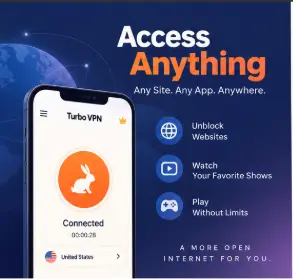
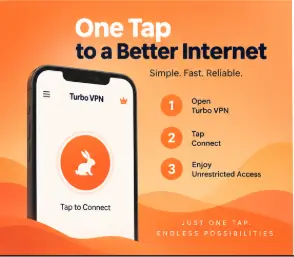
The whole screen is basically one big power button. You open the app, hit connect, and it finds the fastest free server near you. And you are done. No forms, no tutorial you have to skip. That matters when you are in a hurry, like at a coffee shop and you just want to check your bank without thinking too hard.
Global Servers in Real Places
You get a list of 21+ free locations — US, UK, Germany, Singapore, Japan, India, Brazil and more. The paid side adds extra cities if you want them. I like this because distance equals lag. Pick something close for speed. Pick US or UK if you need to test how a site looks there. You can switch with one tap, no reconnect dance.
Speed That Doesn’t Kill Your Video
Look, free VPNs are usually slow. This one is actually usable. On a 100 Mbps home line, I still got around 70-80 Mbps on a nearby server. That’s enough for YouTube, TikTok, Instagram Reels, even casual mobile games. Far servers will drop, though. And at night when everyone jumps on, you will feel it. Still, as a fast secure VPN for everyday stuff, it punches above its weight.
No Account, No Drama
You don’t create an account for free use in turbo VPN.. Install and go. Behind that simple button it uses OpenVPN and IKEv2 with AES-256. That’s the same encryption your banking app uses. So your chats, logins, and browsing stay hidden from the cafe hotspot or the dorm network. For a lot of people, that zero-friction start is the whole reason they keep it.
WiFi Protection When It Actually Counts
Public WiFi is a mess. Anyone on the same network can sniff unencrypted traffic with simple tools. Once this app connects, it wraps everything in a tunnel. Your hotel, your school, the guy at the next table — they just see encrypted noise. It also hides your real IP so trackers don’t immediately tag your city. I turn it on every time I’m on an airport or mall network. It’s habit now.
How to Use It — Step by Step
Works on: Android 5.0+, iOS 11.0+, Windows 10/11, Chrome. Requires: ~30 MB free space, internet, permission to create a VPN connection.
- Get it from the real store. Download it from Google Play, App Store, or the official site. Don’t grab random APKs from forums. That’s how you get adware.
- Install and open. It will ask you once to allow the VPN connection. That’s normal. Without it, it can’t build that secure tunnel.
- Tap the big connect button. One press. It auto-picks the fastest free server near you. You will see a key icon up top when it works.
- Choose a country if you need to. Open the server list and tap a flag. Use this when you want to unblock websites that are locked to another region, like a show that only plays in the US.
- Check that you are actually connected. Look for the VPN key icon and the connected timer. Then open your browser or app like usual. Your IP should now show the new country.
- Disconnect when done. Tap the button again. This drops you back to your normal net, saves battery a bit, and gives you full local speed back.
Pros and Cons
It’s not all bad, this app has some good reasons for people to use it. First, you can start using it in about 2 seconds without having to sign up, and if you do decide to use the free version, it works pretty well because the company already has many servers set up and they’re all relatively fast. Plus, the way the app is designed is really user-friendly, even my young cousin was able to start using it without any help from me. Also, since it supports all of the most popular devices, you don’t have to worry about only being able to use it on one type of phone or tablet.
However, there are some downsides. If you’re using the free version, then you will see ads, and they pop up right after you’ve finished using the VPN. That can be a bit of an annoyance. Furthermore, the free servers get very busy in the evenings which can make the connection slower or even drop at random. Another thing is that the app isn’t open source, which might be a problem for some people.
Is It Safe and Legal to Use?
Yes, for normal browsing, if you install the turbo vpn from the official store. The Play Store version 3.9.9 comes clean on VirusTotal and Play Protect scans, and with over 10 million reviews it has a long track record. The company says it doesn’t log your browsing history, though it does keep basic connection stuff like what server you picked and connection length to keep the service running.
Turbo VPN is not open-source, so you can’t have outsiders audit the code that’s a limitation. And like any free VPN, you should not expect it to protect you if you yourself install shady mods or give away passwords.
Legally, turbo VPN use is fine in most countries like the US, UK, Canada, and India for privacy and accessing blocked content. A few places restrict VPNs, and some schools or offices block VPN traffic on their network anyway. So check your local rules and your workplace policy. To stay safe, always update the app and avoid third-party APK sites.
Top Alternatives to This VPN
Proton VPN
A privacy-focused option by the ProtonMail team. It offers open source apps and a strict no logs policy. The difference is it has fewer free servers and they can feel slower, but you get stronger transparency, likeTurbo VPN
Windscribe
Another free VPN that gives you 10GB free per month and a built-in ad blocker. It differs because you need an email to unlock the full data, and it gives you more controls like a firewall and better browser extension.
Super VPN
Super lightweight, in less than 20MB, with a one-tap design very similar to this one. It differs by offering even fewer server choices and almost no settings, which some people prefer for speed and simplicity.
FAQ — People Also Ask
Is it free forever without paying?
Yes, the base version of turbo VPN is free forever with some ads. You never need to add a card to use the free servers. There is a VIP plan that removes ads and unlocks faster locations, but you can stay on free as long as you want for basic browsing.
Does it make my internet slower?
A little, yes. Any VPN adds an extra hop, so you lose 10-20% on close servers. That is normal and you usually won’t notice it for social apps. Faraway servers or peak hours will be slower, so just switch to a closer flag if video starts buffering.
Can it unblock Netflix and YouTube?
Turbo VPN easily opens YouTube, Instagram, TikTok, and blocked sites on school or work WiFi. For Netflix and Disney+, TURBO VPN can work on some US or UK servers, but not all. Streaming services constantly block VPN IPs, so if one server fails, try another location.
Is it good for gaming and lag?
For casual games, turbo VPN works fine. You can join lobbies that are region-locked or hide your real IP. For ranked shooters or games where every millisecond counts, free servers may add ping. For serious gaming, a nearby wired server or a paid plan is better.
Which devices can I install it on?
You can install it on Android, iPhone, iPad, Windows PC, and as a Chrome add-on. You need Android 5.0 or newer, iOS 11 or newer. TURBO VPN only protects the device it runs on, so install it separately on your phone and laptop if you use both.
Conclusion
Turbo VPN does the most basic things right. It’s free, loads quickly, and is very easy to use. You’ll get acceptable speeds, access to quite a few different countries to help you get around blocked stuff, and one-click protection when you’re on a questionable Wi-Fi connection. It’s not the best because the free version has ads and its servers are quite busy which can be a bit of a pain. That said, for just general browsing, streaming, and using on public Wi-Fi while keeping your info private, turbo VPN is a very good choice.








Leave a Reply