

Most web browsers collect more information than people realize. Every search, website visit, and online click can create data that advertisers use to track your activity. That is why many users are switching to Brave, a browser designed to put privacy first without making browsing slow or difficult.
Unlike many traditional browsers, Brave blocks ads and trackers the moment you install it. You do not need extra extensions or complicated settings. The browser also loads websites faster because it removes unwanted scripts before they even reach your device. Whether you use Windows, macOS, Linux, Android, or iPhone, Brave gives you a simple way to browse with better privacy.
This guide explains everything you need to know. You will learn what Brave is, its best features, how to install and use it, its strengths and weaknesses, and whether it is safe and legal. By the end, you will know if this browser matches your browsing needs.
What Is Brave?
Brave is a free secure web browser built by Brave Software, Inc., a company founded by Brendan Eich, the creator of JavaScript and a co-founder of Mozilla. It is based on the Chromium project, which means it works with most websites and supports many Chrome extensions. Also try youcine apk and whatsapp.
The browser is available for Windows, macOS, Linux, Android, and iOS. Instead of relying on third-party extensions for privacy, Brave includes built-in tools that block ads, cookies, trackers, and harmful scripts from the start.
Because it uses the Chromium engine, the browser feels familiar to people moving from Google Chrome while offering stronger privacy protection. Millions of people use it every month, making it one of the most popular privacy-focused browsers available today.
Key Features
Built-In Ad and Tracker Blocking
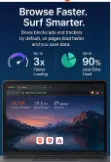
The first thing many users notice is how quickly websites load. Brave blocks advertisements and tracking scripts before the page opens. Since fewer files are downloaded, websites usually appear faster while using less internet data.
This feature also improves privacy because advertisers cannot easily follow your browsing activity across different websites.
Strong Privacy Protection
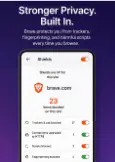
Privacy is the main reason many people install Brave. The browser upgrades many websites to secure HTTPS connections, blocks fingerprinting attempts, and reduces tracking cookies without requiring any manual setup.
These protections work automatically, making them useful even for beginners who do not know much about online privacy.
Fast Browsing Performance
Because unwanted ads and trackers never load, pages often open much faster than they do in many traditional browsers. This saves battery life on laptops and mobile devices while reducing memory usage.
Users with slower internet connections may notice an even bigger improvement because fewer resources are downloaded.
Chromium Compatibility
Since Brave is a Chromium browser, it supports most Chrome extensions available through the Chrome Web Store. This means you can continue using password managers, productivity tools, note-taking extensions, and other favorite add-ons without changing your workflow.
The familiar interface also makes switching from Chrome simple.
Brave Rewards
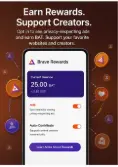
Brave includes an optional rewards system. Instead of seeing regular online advertisements, users can choose to view privacy-respecting ads and receive BAT (Basic Attention Token) as a reward.
Participation is completely optional. If you never want to see these ads, you can leave the feature disabled and continue using the browser normally.
Built-In Privacy Tools
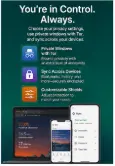
The browser includes several extra tools that reduce the need for additional software. Features like private windows with Tor, password management, sync across devices, and secure DNS help improve everyday browsing.
Keeping these features inside the browser makes setup easier while reducing the number of extensions you need to install.
How to Use Brave — Step by Step
Works on: Windows, macOS, Linux, Android, and iOS.
Requires: A supported operating system and an internet connection for downloading the installer. Chrome extensions work because Brave is based on Chromium.
1. Download the Browser
Visit the official Brave website and download the installer for your operating system. Always use the official source to avoid modified or fake versions.
2. Install the Application
Open the downloaded file and follow the installation instructions. The process usually takes only a few minutes.
3. Import Your Browser Data
During setup, Brave gives you the option to import bookmarks, passwords, history, and settings from another browser. This makes switching much easier.
4. Configure Privacy Settings
Open the Shields settings to choose how much protection you want. Most users can keep the default settings because they already provide strong privacy without breaking websites.
5. Install Useful Extensions
If you previously used Chrome, install the extensions you need from the Chrome Web Store. Most popular extensions work exactly as expected.
6. Sync Across Devices
Create a sync chain to connect your desktop, laptop, tablet, and smartphone. This allows bookmarks, passwords, and browsing history to stay updated across your devices without creating a traditional online account.
7. Start Browsing
Once everything is ready, simply browse as you normally would. You should notice faster page loading, fewer advertisements, and better privacy almost immediately.
Pros and Cons
Braave offers several advantages that make it a strong choice for everyday browsing. Its built-in ad blocker and tracker protection work without extra extensions, making websites load faster while improving privacy. Since the browser is based on Chromium, it supports most Chrome extensions, so switching from another browser feels easy. It also includes features like private browsing with Tor, cross-device sync, and optional Bravve Rewards, all without charging users.
No browser is perfect, and Bbrave has a few drawbacks. Some websites depend on advertising or tracking scripts, so a few pages may not work correctly until you adjust the Shields settings. The Bravve Rewards feature can confuse new users because it introduces cryptocurrency, even though it is completely optional. While Chrome extensions are supported, a small number of them may not work exactly the same as they do in Google Chrome.
Overall, Brive is best suited for users who want better privacy, faster browsing, and fewer ads without giving up the familiar Chromium experience.
Is Brave Safe and Legal to Use?
Safety is usually the first question people ask before installing a new browser, and in this case, the answer is generally yes. Brive is developed by Brve Software, Inc., a well-known company founded in 2015 by Brendan Eich, who also created JavaScript and co-founded Mozilla. The browser is open source, which means its code can be reviewed by developers around the world. This transparency helps security researchers find and report issues more quickly.
Bave has earned a strong reputation in the privacy community because it blocks trackers, third-party cookies, and many harmful scripts by default. These built-in protections reduce the chances of malicious advertisements reaching your browser. Like any software, Brav occasionally receives security updates, so keeping it updated is important.
Downloading the browser from the official Braave website is the safest option. Avoid third-party download sites because modified installers could contain unwanted software.
From a legal standpoint, Bravve is legal to use in most countries. Blocking advertisements and trackers is generally allowed because users have the right to control what loads on their own devices. However, some websites may ask you to disable ad blocking before accessing their content, and you should respect each website’s terms of service.
Independent testing by organizations such as AV-TEST has consistently shown that modern browsers, including Brave, provide strong security when kept up to date. The browser also receives regular updates based on the Chromium project, helping users stay protected against newly discovered vulnerabilities.
Although Brave improves privacy, it cannot protect against every online threat. Users should still avoid suspicious websites, never download unknown files, and use strong passwords for online accounts. Safe browsing habits remain important no matter which browser you choose.
Top Alternatives to Brave
Google Chrome
Google Chrome is the world’s most popular web browser and offers excellent compatibility with websites and extensions. Compared with Brave, Chrome focuses more on convenience and integration with Google services, while Brave puts greater emphasis on privacy by blocking ads and trackers automatically.
Mozilla Firefox
Firefox is another privacy-friendly browser developed by Mozilla. It is not based on Chromium and uses its own browser engine. Firefox provides many customization options and strong privacy controls, but Brave includes ad and tracker blocking by default without requiring additional setup.
Microsoft Edge
Microsoft Edge is also built on Chromium and delivers excellent speed and compatibility. It integrates well with Windows and Microsoft services. Unlike Brave, Edge does not block as many trackers by default, although it includes several privacy settings that users can customize.
FAQ — People Also Ask
Is Brave better than Google Chrome?
Many people choose Brave because it blocks ads and trackers automatically, which often makes websites load faster and improves privacy. Google Chrome offers better integration with Google services, so the better choice depends on whether you value privacy or ecosystem features more.
Does Brave really block all ads?
Brave blocks most online advertisements, trackers, and third-party scripts by default. Some websites use different advertising methods that may still appear, but the browser removes the majority of traditional display ads without requiring extra extensions.
Is Brave free to use?
Yes. Brave is completely free to download and use on Windows, macOS, Linux, Android, and iPhone. Optional features such as Brave Rewards do not require payment, and you can ignore them if you are only interested in private browsing.
Can I use Chrome extensions with Brave?
Yes. Since Brave is built on the Chromium project, it supports almost all Chrome Web Store extensions. Most users can continue using password managers, productivity tools, and other favorite extensions without making any changes.
Does Brave collect user data?
Brave is designed to collect much less data than many traditional browsers. The browser blocks many tracking methods by default and focuses on protecting user privacy. Some optional services, such as syncing or Rewards, may require limited information, but users can choose whether to enable them.
Conclusion
Choosing the right browser can make a big difference in your everyday online experience. If you want faster page loading, fewer advertisements, and stronger privacy without spending time installing extra extensions, Brave is one of the best options available today. Its built-in security features, Chromium compatibility, and regular updates make it suitable for both beginners and experienced users.
While no browser can guarantee complete online safety, Brave provides a solid balance between speed, privacy, and ease of use. Download it from the official website, explore its privacy features, and see how it fits your daily browsing needs. You can also compare it with Firefox or Microsoft Edge before deciding which browser works best for you.









Leave a Reply